Jump to: Accessibility | Public transport | Parking | EV chargers
Church House Oxford is located on a business park near Oxford airport. Our address is:
Church House Oxford
Langford Locks
Kidlington
Oxford
OX5 1GF
The switchboard number is 01865 208 200.
On arrival
There is ramped access to the main doors of Church House, with push buttons on the left side of each set of glass doors (outer and inner) to open the power assisted doors.
The reception desk is situated immediately inside the inner doors, alongside the open plan café which has moveable seating. You will be asked to sign in (and if you are using our car park, we will ask for your vehicle registration number) and given a visitors lanyard to wear whilst you are onsite.
To the left of the main doors are the toilets, including a wheelchair accessible toilet. There is a 2nd accessible toilet on the 1st floor.
The stairs are through the door from reception. We have a lift, which comfortably accommodates a manual wheelchair/a powerchair. It provides access to the 1st and 2nd floors.
The Chapel and the main meeting rooms (Committee Room 1 and 2) are situated on the 1st floor.
If possible, please come by public transport.
Directions to Church House from your location.
Jump to: Accessibility | Public transport | Parking | EV chargers
Public transport
- Stagecoach bus S7 stops at Langford Locks and comes into the Parkway car park.
- Stagecoach S4 service between Oxford and Banbury, via Kidlington, stops on the Banbury Road at the north end of Kidlington near the junction with Langford Lane.
- Oxford Parkway Station is situated south of Kidlington (OX2 8HA). Chiltern Railways offers a direct train to Marylebone, London (Directions from Oxford Parkway Station to Church House Oxford). It's an easy cycle ride of 10 to 15 minutes from Oxford Parkway to Church House Oxford.
- Water Eaton Park and Ride: This bus goes from Oxford Parkway Station to the Oxford Rail Station (via the Banbury Road into Oxford City Centre).
Parking
There are 70 allocated spaces marked CHO (this includes parking for all visitors, as well as two marked ‘Disabled’ bays for Blue Badge holders).
If you park in a bay marked CHO, please report to reception, where you will be asked for your car registration number.
If the car park is full, you may need to park elsewhere.
- There is unrestricted parking for up to 20 cars on the road down Langford Locks. This is a three- to seven-minute walk to CHO.
- There is unrestricted parking on the service road by the Co-Op on the main Banbury Road for up to ten cars. This is a seven- to ten-minute walk to CHO.
- There is unrestricted parking in the layby opposite the Mercedes Garage on Langford Lane for up to ten cars. This is a two- to three-minute walk to CHO.
- There is unrestricted parking on The Boulevard (main entrance to Kidlington Airport). This is a four- to six-minute walk to CHO.
Electric vehicle charging
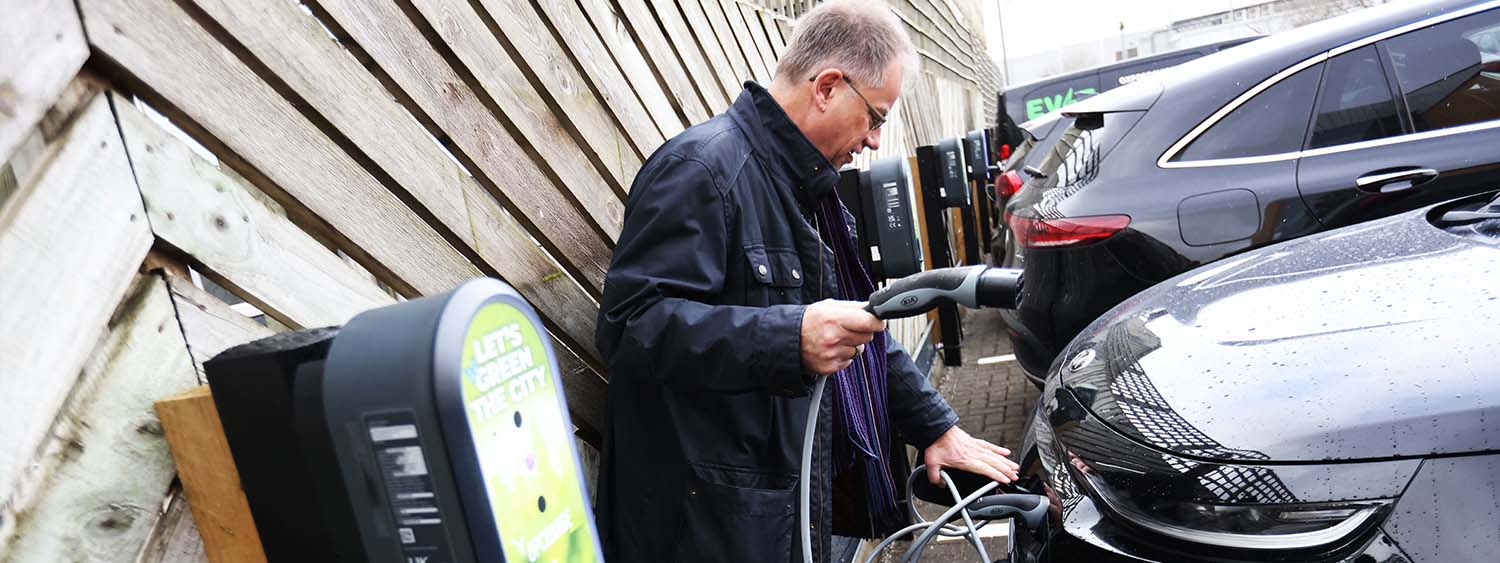
From March 2023, charging at Church House Oxford is provided by OpCharge, working in partnership with local suppliers Evie Chargers and Compleo. Find out more about this groundbreaking partnership, the first in the UK. Please note that you will need the OpCharge app installed on your phone and charging is 35p/Kwh
How to use the chargers
- Available charge points can be seen in the app
- Connect your vehicle - plug one end of your charging cable into your vehicle and the other end into the charge point socket.
- Select the charge point in the app to charge your vehicle. Tap the button labelled “Charge” at the bottom of the charger information pane.
- Confirm your vehicle and payment card. After your payment card has been processed and communication with the charge point has been established, the charging session should begin (this may take up to a minute to complete).
- Disconnecting your vehicle terminates the charging session and calculates the fee that will be charged to your payment card. The final fee that will be charged to your payment card should display automatically in the app within a few seconds of disconnecting your vehicle.
Charger FAQs
Charge points are compatible with all standard Type 2 electric vehicle charging cables.
This app (Apple | Google Play) will allow you to pay for your EV charging sessions using credit and debit cards. There is also the option to use the service as a guest without registering, but you will need to enter your payment details each time you charge.
Active sessions & ended sessions can be viewed in the Sessions section of the app.
Tapping an ended charging session in the Sessions section of the app will display the details of the session. There is a button at the bottom of this page for requesting a receipt to be sent by email. You can receive receipts automatically by subscribing to the "EV charging session terminated" email notification (registered users only).
You must disconnect the cable from your vehicle first. You may need to unlock the vehicle, start the vehicle, or use the unlock button on the vehicle's keyfob immediately before attempting to disconnect the cable.
If you are still unable to disconnect the cable, please contact us. Our contact details are found in the Contact Us page in the Help section of this app.
Please use the Contact Us page in the Help section of the app to find our contact details for reporting faults.